Install
The installer downloads a signed binary for your platform and places it under ~/.pock/bin. Add that directory to your PATH once.
# Linux and macOS
$ curl -fsSL pock.sh/install | sh
  pock  installing…
  ✓ downloaded pock 0.6.0 (darwin/arm64)
  ✓ installed → ~/.pock/bin/pock
  → add ~/.pock/bin to your PATH, then run: pock login

# Windows (PowerShell)
> irm pock.sh/install.ps1 | iex
Login
Authentication opens a browser tab for the OAuth flow and writes a bearer token to ~/.pock/credentials.json (mode 0600). The token is scoped to CLI actions and can be revoked from your account settings.
$ pock login
opening browser for authentication…
✓ authenticated as you@example.com
Sharing and receiving
Share
pock share encrypts a file (or stdin with --stdin) locally and uploads the ciphertext. It prints a share ID and decryption key. The key is never sent to the server.
$ pock share .env.staging
✓ encrypted (X-Wing + AES-256-GCM)
  share id:  7bXm3pK9
  key:       pk_rZ4w1…Nm8
  link:      https://pock.sh/s/7bXm3pK9#pk_rZ4w1…Nm8
  expires:   24h

# Pipe from stdin
$ cat credentials.json | pock share --stdin --cipher xchacha20

# Burn after read, 6-hour TTL
$ pock share secret.pem --burn --ttl 6h
Receive
pock receive fetches the ciphertext and decrypts it locally. Supply the share ID and key from the link, or pass the full link directly.
$ pock receive 7bXm3pK9 pk_rZ4w1…Nm8 --out ./local
✓ fetched envelope · 1 file
✓ decrypted → ./local/.env.staging

# Or use the full link
$ pock receive "https://pock.sh/s/7bXm3pK9#pk_rZ4w1…Nm8"
Vault commands
The vault stores encrypted secrets organized by project. See the vault for the full model. CLI commands:
pock vault init- create a vault identity on this machinepock vault set acme.api DB_URL=postgres://…- store KEY=VALUE secretspock vault get acme.api [KEY]- decrypt a project (or one key)pock vault ls [acme.api]- list projects, or a project's keyspock vault rm acme.api KEY·vault mv acme.api KEY NEW --to-project otherpock vault ns rename acme.api acme.backend·vault ns rm acme.api
Environments & .env import
An environment is a named set of references to secrets that exports to a .env - ideal for CI. Import an existing .env to create standalone secrets plus an environment that reproduces it.
$ pock vault env create prod
$ pock vault env add prod acme.api DB_URL --as DATABASE_URL
$ pock vault env export prod --file .env
✓ wrote 1 secret to .env

# Import a .env (creates secrets + an environment)
$ pock vault import .env.staging --env staging
Generate
$ pock gen -l 24                 # random password
$ pock gen -p -w 5               # passphrase: Anchor-Cobalt-Falcon4-Ridge-Velvet
Non-interactive (CI)
The recommended way to give a pipeline secrets is a scoped machine key. Mint one with pock vault machine <scope>, then add the printed POCK_MACHINE_KEY plus a POCK_TOKEN (from pock token) to your CI secret store. The runner decrypts only that subtree - a leak exposes nothing else in your vault.
# once, on your machine:
$ pock vault machine create acme.web.prod --github <owner>/<repo>

# in CI (POCK_TOKEN + POCK_MACHINE_KEY set as secrets):
$ pock run -p acme.web.prod -- npm run deploy
The runner needs no login or passphrase and writes nothing to disk. For the complete recipe (including the GitHub Actions YAML) see Guides. Other options: POCK_SECRET_KEY + POCK_PASSPHRASE unlock with your full account identity (prefer a scoped machine key), and POCK_PASSPHRASE alone works once a machine is linked with pock vault link.
pock run
pock run decrypts a project's secrets and injects them as environment variables into a subprocess. Nothing is written to disk. Secrets disappear when the process exits.
$ pock run --project my-app -- node server.js
✓ unlocked vault · 3 secrets injected
starting server on :3000…

# Works with any command
$ pock run --project ci -- make test
This is the recommended way to use vault secrets in development. It replaces .env files without requiring code changes to apps that already read environment variables.
Shared crypto core
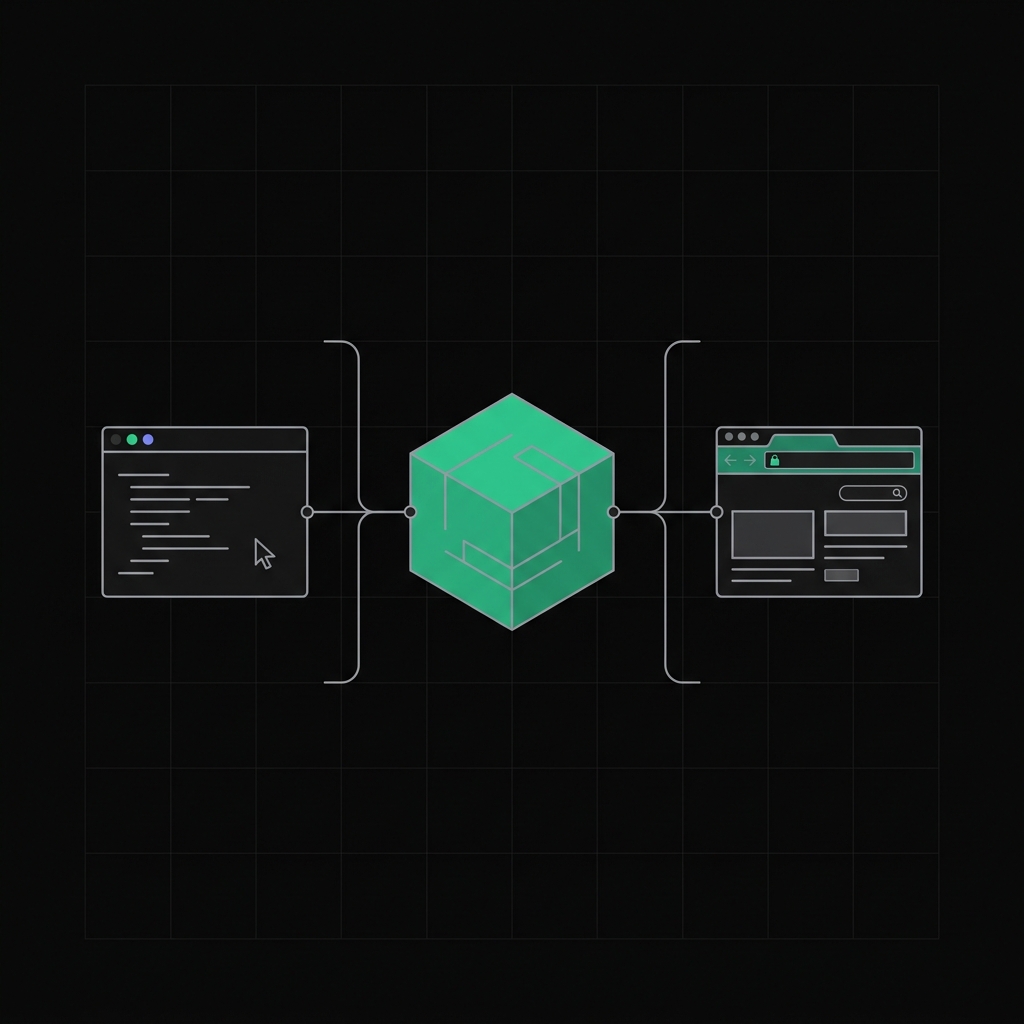
The CLI is not a thin wrapper around HTTP calls. It links against pock-core - the same Rust library compiled to WebAssembly for the browser - as a native library. Encryption, decryption, key derivation, and the post-quantum KEM all run in the same audited code path regardless of surface. A bug fixed in the library is fixed everywhere simultaneously.
Keeping the CLI current
$ pock version
pock 0.5.0 (darwin/arm64)
↑ 0.6.0 available - run `pock update`

$ pock update
↓ updating 0.5.0 → 0.6.0…
✓ pock is now 0.6.0
Full command reference: docs. More on the security model: zero-knowledge by design, secure sharing.